
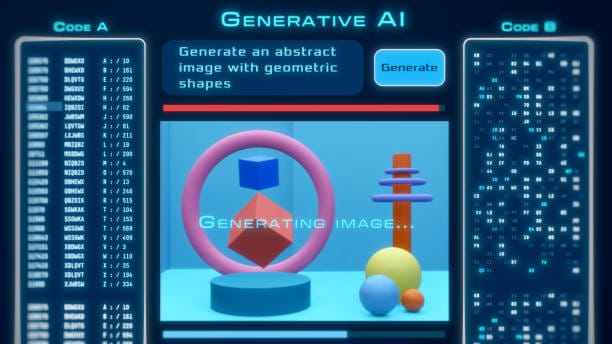
First attempts at AI image generation often produce strange, distorted results. The learning curve is real, but once you understand the basics, these tools are very user-friendly. This step-by-step guide takes you from a blank prompt to images you can actually use.
Whether it is a designer who has to work more, a small business owner with a tight budget who requires visuals, or even just someone who wants to learn more about this technology, all the information is gathered in this guide.
The mode of working of AI Image Generators.
Before getting into the practical processes always it is better to comprehend the basics. They use machine learning models based on the training of millions of images and descriptions.Imagine hiring a painter who has researched all the paintings, photographs, and illustrations ever published on the internet. They transform brain into action and you know what you want.
Step 1: Choose the platform which suits you the best.
Image generators are not similar. Canva, to begin with, has a text-to-image feature that is simple, streamlined, and its interface is also streamlined though has less options to offer; Microsoft Designer is less on options and more on its streamlined interface, but its output is also stylized. ‘
The right tool depends on what you want to achieve. Midjourney is a strong choice for stylised output, while DALL-E 3 is good at following complex instructions. For product photography and business use, Adobe Firefly integrates with Creative Cloud and offers clear licensing, a factor many beginners overlook.
My advice? Start on free accounts on prime platforms. The basics of the business should be known before committing to a good quality subscription.
Step 2: Learn how to write on the Spur of the Moment.
This is where most beginners go wrong and waste the most time. Your prompt is effectively the instruction manual for the AI: vague prompts produce vague results.
Arrange your cues using the following things:
Start with the subject. What is the primary focus? It is not a dog per se, but a golden retriever puppy. Insert colors, tones, and other details a big brown-eyed fluffy golden retriever puppy is seated on autumn leaves.
Which one would you choose between photorealism, watercolor, oil painting, anime, etc? They should be allowed to list the particular styles of certain artists so that they can play theatrical role on the production in defining the mood and the lighting. Lighting: A pleasant sunset gives different effects of a relatively harsh fluorescent lighting.
Among them, there are such technical characteristics as 8K resolution, shallow depth of field, or direct composition of a wide-angle shot. Here’s a practical example. Instead of: a coffee shop, please see: A cozy corner coffee shop with bare brick walls, a large-filtered sunlight pouring through the huge windows, with aged wooden furniture, boiled latte on a marble table,
The difference in output quality is drastic.
Step 3: Generate and Iterate
One thing few guides mention: your first generation is unlikely to be the ideal image. It typically takes four to eight variations before one matches what you had in mind.
- Most of the platforms give an implication that it is possible.
- But prepare many variations on one occasion.
- Encouraging outcomes at an elite.
- Create variations of the pictures that you like.
- Pictures can be edited by using image-to-image features.
Do not get discouraged with poor performance. There exists a feedback generation. In case hands are strange (which is also a frequent problem), refer the user to point to where the wrist is being cut or where the hands are out of sight.
Step 4: Negative Prompts of Refinement.
Many platforms support negative prompts, which tell the system what to avoid. This feature can transform your workflow. Whenever unwanted elements keep appearing, add them to your negative prompt. The most common ones are distorted faces, extra fingers, watermarks, text, low quality and awkward cropping.
Why Iteration Matters
Step 5: Edit and Finalize
Images generated with artificial intelligence usually need some final touches. The composition can be a perfect piece, and there is something that appears to be amiss. Majority of sites are currently utilizing inpainting which picks certain pixels in the image to be regenerated and leaves the others unaffected.
For professional work, finish the image in Photoshop or another editor. Colour correction, cropping and small touch-ups are often enough to make AI-generated art indistinguishable from regular digital artwork.
Common Mistakes to Avoid
A few patterns reliably produce poor results. Cramming too many elements into one prompt overloads the model and confuses it. It is better to focus on the most important details than to try to fit everything into a single generation.
The aspect ratios must not be overlooked as they can result into clumsy compositions. Consider the second thought to the manner in which the image shall be used. Lack of incorporating terms of service can result into torturous legal agonies. Get to know the licensing of each platform especially when commercial.
Some of the Ethical Things to be Mentioned.
This technology addresses valid concerns about artist compensation, copyright, and authenticity. The responsible use of such tools is to credit AI when it is needed and not to create images of actual individuals without their consent.
Final Thoughts
AI image generation is not a creative displacement; it has the capacity to increase the number of possibilities. It has minimized the barrier to professional images to a minimum. Start experimenting today.
The late photographs will most of all, not impress you. You do not think your hundred and thief will do you. It is also an interesting study experience.
FAQs
How long does the creation of an image take?
Most of the platforms take 10-60 seconds to give results, based on server load and complexity.
Is the creation of images by Artificial Intelligence a copyrightable work?
This depends on the jurisdiction and is constantly legally changing. Today, any AI generated without a mediator is not viewed as a copyright in the majority of states.
Is AI picture usage a commercial acceptance?
Yes, but ask about the terms of the license of each platform. Other people require subscriptions to the commercial rights.
However, what is the reason why AI pictures tend to have distorted hands?
The proportion of clear hand images is lower in the training set, and thus they are hard to generate. This is improving rapidly.
Which is the best Free AI image generator?
Microsoft Designer and Canva have high free packages. Stable Diffusion can be used locally.
How will I enhance my AI images to be more realistic?
Some of the words you can use in prompts include photorealistic, 35 mm photography, model of the camera and details about lighting.
Related Reading
- Guide to Image Generation with AI
- Best AI Tools to Generate Images from Text
- How to Make Realistic Images with AI