

Producing a daily Reel by hand — filming, retaking flubbed lines, writing captions — is genuinely time-consuming, which is exactly why AI-assisted Reels have become popular. Early AI-generated video had a reputation for stiff avatars and robotic voices, but the tools have improved dramatically, to the point where AI now handles the bulk of production for a growing number of accounts.
Making AI Reels well isn’t as simple as pressing “generate” — it requires directing the process the way a director works with a crew, rather than expecting a single prompt to produce a finished result. This guide covers the practical, real-world process of producing AI Reels for social media that actually perform.
The Shift: From Creator to Curator
Succeeding with AI-generated social content requires a mindset shift — the role becomes closer to an editor directing a production than a performer in front of a camera.
AI Reels generally fall into three categories:
- Faceless/stock footage: Polished clips built from voiceover paired with dynamic on-screen text.
- AI avatars: A digital presenter that reads a script aloud, either as a generic avatar or a trained likeness.
- Repurposed clips: Long-form video automatically cut down into short-form segments by AI.
The first two options generally offer more room for original, brand-specific creativity than automated repurposing.
Step 1: Script and Hook Engineering
This is where most AI-generated Reels fail. A vague prompt asking an AI to “write a marketing script” typically produces something formless enough that viewers scroll past it within half a second.
A more effective approach treats AI as a tool for generating angles, not finished copy — giving it a clear structural framework rather than an open-ended request. A useful structure for a short-form Reel is three acts:
- The Hook (0–3 seconds): Something visually or audibly arresting enough to stop a scroll.
- The Value (3–50 seconds): The actual substance of the content.
- The CTA (final 5 seconds): A clear direction for what the viewer should do next.
A practical prompt might be: “Give me 10 attention-grabbing hooks for a 30-second Reel about the real estate market.” After picking the strongest option, editing the script by hand still matters — AI tends toward wordiness, and short-form content rewards brevity. Any sentence that doesn’t move the story forward is worth cutting.
Step 2: The Voice (Audio Is King)
On platforms like TikTok and Instagram, audio quality often matters as much as the visuals for retention — an irritating voice is one of the fastest ways to lose a viewer.
Voice cloning tools have moved well past the robotic, GPS-narrator sound of early text-to-speech. A short sample recording — often around a minute — is enough to train a reasonably convincing clone of a specific voice, allowing new scripts to be generated in that same voice without needing a fresh recording every time. This helps maintain a consistent, recognizable brand voice across content without a daily recording session.
A note on ethics: using someone’s voice — including a cloned version of one’s own — should always be done transparently and with appropriate consent for the underlying voice model. On the technical side, adding natural pauses and commas into the script fed to a text-to-speech engine makes the output sound noticeably more human — a flat, evenly-paced delivery is one of the clearest giveaways that a voice is AI-generated.
Step 3: Visuals — Faceless Footage vs. AI Avatar
This is where the visual style of a Reel takes shape, and there are two main paths.
Route A: Faceless Footage
This is the simpler entry point — matching a script to relevant B-roll footage. Where creators once relied entirely on browsing stock video libraries, text-to-video generators now offer far more precise control: a prompt describing “a cluttered office with a stressed worker, shallow depth of field, natural lighting” can produce a tailored clip matching a script’s exact tone.
Blending AI-generated clips with real stock footage tends to produce the most believable result. Purely AI-generated video can occasionally look dreamlike or subtly wrong — an extra finger, an object that morphs oddly — and mixing in real footage helps ground the overall visual in something believable.
Route B: The AI Avatar
For a talking-head format, an AI avatar can be trained from a video sample, with the model syncing lip movements to a new script. A few things matter for this to look convincing: lighting during the training video should closely match the lighting used in later Reels, since inconsistent lighting tends to make every subsequent Reel look noticeably off.
Avatars can also fall into an “uncanny valley” effect if left on screen too long. Cutting to B-roll or on-screen graphics every 3–5 seconds both disguises minor lip-sync imperfections and keeps the pacing more engaging for the viewer.
Step 4: Editing and Dynamic Captions
A finished voiceover laid over video isn’t enough on its own — social algorithms tend to favor content with dynamic, actively edited pacing over static footage.
AI-powered mobile editing apps have largely replaced the need for desktop tools like Premiere Pro for this kind of content, and most can auto-generate captions directly from the audio track. The key is customizing those captions rather than using platform defaults: matching brand colors, highlighting key words in a contrasting color to draw attention, and displaying captions one word or short phrase at a time (a “karaoke” style) all help keep a viewer’s eye actively engaged rather than static.
Example Workflow: A Productivity Tip Reel
Here’s how a typical AI Reel workflow comes together in practice, using a productivity-tip concept as an example:
- Idea: Explain a well-known productivity concept, such as the two-minute rule.
- Scripting: An AI writing assistant generates a script under 120 words, with the opening line refined by hand for a stronger hook — something like “Stop writing to-do lists — they’re wrecking your focus.”
- Audio: The script is converted using a cloned voice profile for brand consistency.
- Visuals: A few short AI-generated clips — a cluttered desk, a clock, someone drinking coffee — are looped to match the pacing of the script.
- Editing: Audio and video are combined with bold, sans-serif auto-captions, and background music volume is lowered significantly (to roughly 8%) so it doesn’t compete with the voiceover.
A workflow like this typically takes well under 20 minutes from idea to finished export — a fraction of the time a fully filmed equivalent would require.
Ethics and Transparency
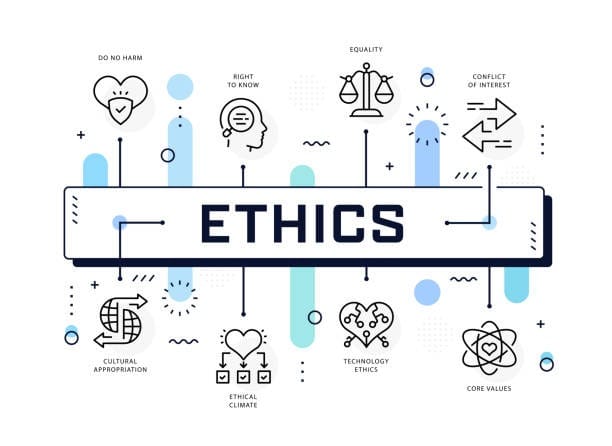
Trust is worth addressing directly. Audiences are increasingly good at spotting low-effort AI content. When the content itself is genuinely useful — educational or entertaining — most viewers care less about how it was made and more about whether they were misled about it.
Platforms like Instagram and TikTok have introduced labels specifically for AI-generated content, and using them is worth doing — it protects an account from policy violations and builds trust with an audience rather than eroding it. A useful mental model: AI functions as a production assistant, not the creative decision-maker — the concept, direction, and final quality control should remain entirely human-driven.
Common Pitfalls to Avoid
- Physics errors in generated video: AI video generators sometimes get basic physics wrong — a leg bending unnaturally, an object floating oddly. Reviewing every generated clip closely before publishing catches most of these issues.
- Copyrighted music: Some AI tools suggest background music without clear licensing. Sticking to a platform’s native royalty-free music library avoids the risk of a copyright strike.
- Generic hashtags and captions: Letting AI generate captions and hashtags entirely on its own often produces outdated, overused tags like #fyp or #viral. Writing niche-specific keywords that actually describe the video’s content performs meaningfully better.
The Future of AI Reels
The direction of this technology points toward text-to-video editing becoming even more direct — typing or editing a transcript and having AI automatically re-cut the corresponding footage. Some tools already offer an early, workable version of this capability.
FAQs
Can AI-generated Reels be monetized?
Generally yes. Most platforms allow monetization of AI-generated content as long as it’s original and follows community guidelines. It’s important to confirm ownership rights over output from whichever AI tools are used, since licensing terms vary by provider.
Do I need a powerful computer to make AI Reels?
No. Most modern AI video tools run in the cloud and only require a browser or a mobile app — a standard laptop or even a phone is enough to handle the entire workflow.
How do I make my AI video less blurry?
This usually comes down to export settings — always generate or export at 1080p or 4K where possible. Some free tiers of AI tools cap downloads at 720p, which looks noticeably soft on modern screens; upgrading to an HD-capable plan is often worth it for anything meant to look polished.
Does the algorithm penalize AI voiceovers?
Not inherently. Algorithms respond to viewer retention, not the source of the voice — a flat, monotonous voiceover will underperform regardless of whether it’s human or AI. A dynamic, well-paced AI voice performs comparably to a human one.
How long does it take to learn this workflow?
Anyone with basic video editing experience can typically pick up an AI Reel workflow within a weekend. The harder part is usually learning to prompt effectively — getting the AI’s output to consistently match a specific creative vision.
Related Reading
- How to Create AI Imagery for Social Media
- How to Generate Captions Using AI
- How to Make Videos Using AI Tools