
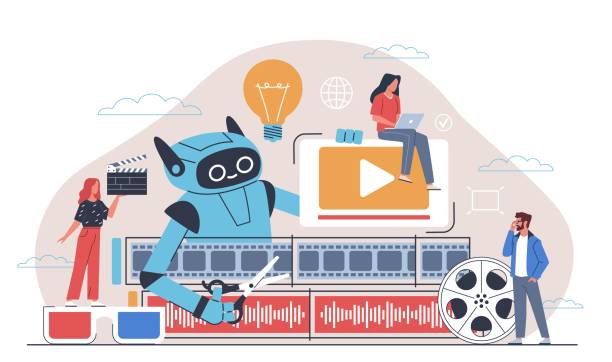
A traditional video editing timeline — a dense horizontal strip of clips, waveforms, and keyframes — has historically been one of the biggest barriers keeping beginners out of video creation. AI-powered editing tools have changed that considerably, removing much of the tedious manual work involved in cutting, captioning, and cleaning up footage.
This is genuinely a strong time to start creating video content, whether the goal is YouTube, TikTok, or a company’s social feed — though the sheer number of tools claiming to be the next essential platform makes it hard to know what’s actually worth learning. This guide covers which AI video editing tools genuinely deliver for beginners, what’s mostly hype, and how to build a workable editing stack without a film school education.
The Shift: From Timeline to Text
The traditional timeline — the intimidating horizontal strip clips get dragged along — has long been the single biggest barrier for new editors. The most significant recent shift in AI video editing is text-based editing, and Descript is the clearest example of it: it lets a video be edited the way a Word document would be.
Uploading raw footage to Descript automatically transcribes both audio and video into editable text. This is genuinely different for a beginner: instead of scrubbing through an audio waveform to find a stumbled sentence, highlighting the text and hitting delete removes the corresponding video automatically — no manual scrubbing or waveform-reading required.
A practical example: a 20-minute tutorial recording where the same point gets repeated three times before landing right. A traditional editor would require manually locating each instance and ripple-cutting them out. In Descript, that’s as simple as deleting the repeated text. Descript’s Studio Sound feature is similarly effective — it can clean up audio recorded in a noisy room to sound close to a professional studio recording, which for a beginner without access to proper acoustic treatment is a genuinely significant capability.
The Short-Form Revolution: Repurposing Long Content

Growing on social platforms today generally means producing short-form vertical video — Reels, TikTok, and Shorts — but manually cropping and reframing horizontal footage into a vertical format is tedious and time-consuming to do well by hand.
Tools like Opus Clip solve this directly: feeding in a long-form YouTube video lets the AI analyze it for likely “viral moments,” automatically cropping to vertical format, tracking the speaker’s face without manual keyframing, and adding styled captions throughout. A 40-minute recorded call or presentation can realistically be turned into several usable short clips with only light manual review.
The “virality score” many of these tools assign to generated clips is worth taking with a grain of salt — AI still doesn’t fully grasp humor, irony, or comedic timing. Even accounting for that, the time saved on manual clip selection and cropping is substantial for a beginner working alone.
All-in-One Editors
Sometimes a specialized tool isn’t necessary — a capable all-in-one editor covers most beginner needs in a single app.
CapCut (Desktop and Mobile)
CapCut has a reputation as a casual mobile app for short dance videos, but the desktop version is a genuinely capable, beginner-friendly editor in its own right. Its Auto-Cut feature automatically splices footage to match a music track’s beat, and its AI background remover works well in reasonably good lighting without requiring an actual green screen. Retouching features — skin smoothing, face reshaping — are available too; used lightly, they’re a far cheaper alternative to professional lighting and makeup, though heavy use tends to look artificial.
Wondershare Filmora
Filmora, an established editor that added AI features somewhat later but fairly aggressively, includes built-in AI copywriting for scripts and video descriptions, along with an AI Smart Cutout tool that removes objects by simply painting over them. It’s somewhat less intuitive than CapCut, but as a one-time purchase rather than a subscription, it remains a solid middle ground between amateur and more advanced editing needs.
Professional Tools Are Catching Up
Adobe Premiere Pro has historically been a poor fit for beginners — expensive and genuinely steep to learn. That’s shifting somewhat with the integration of Firefly, Adobe’s AI model, directly into the editor. Its most notable feature is Generative Fill for video: selecting an unwanted object in a shot — a distracting exit sign in the background of an interview, for example — and having the AI intelligently fill the space with plausible replacement pixels.
Premiere still isn’t genuinely beginner-friendly as a whole. But its AI-assisted tools for specific tedious tasks — Enhance Speech for cleaning up rough audio, in particular — are accessible enough to be a reasonable entry point for someone planning to grow into more advanced editing over time.
A Realistic Beginner Workflow

A practical stack for someone starting a channel today, balancing quality against complexity:
- Shoot on a phone. Modern smartphone cameras are genuinely capable for this purpose — audio quality can be addressed in post-production.
- Rough cut in Descript. Import the footage, edit the transcript to remove filler and repeated takes, and use the filler-word removal feature to clean up “umms” and “ahhs” automatically.
- Refine in CapCut. Export the cleaned-up cut and bring it into CapCut to add b-roll, transitions, and background music — its built-in asset library is extensive and cleared for social use.
- Add captions. CapCut’s auto-captions are typically around 95% accurate — a quick manual pass to fix proper nouns and names is usually all that’s needed.
- Create a thumbnail. A screenshot from the video, refined in a tool like Canva (which includes its own AI image generation), is usually enough for a solid thumbnail.
Where AI Still Falls Short
It’s worth being honest about the real limitations here — AI doesn’t yet substitute for editorial taste.
The uncanny valley of text-based cuts: Removing a sentence in a text editor removes the video too, but the AI has no awareness that the speaker’s head or posture shifted slightly between takes — the result is a small, jarring jump cut. These gaps typically need to be smoothed over manually with b-roll or a zoom transition.
Contextual blindness: Clip-generation tools working from audio volume and word patterns alone have no real grasp of humor or subtlety — a joke can easily get cut right before its punchline if there’s a brief pause the AI misreads as a natural break point. Reviewing every AI-generated clip before publishing is essential, not optional.
Ethical considerations: Some tools can now simulate eye contact with the camera even when a presenter was actually reading from a script off to the side. This kind of manipulation is worth approaching cautiously — audiences tend to sense when something feels processed or inauthentic, even without consciously identifying why.
Final Thoughts
The technical barrier to producing decent video has genuinely collapsed — skills that once took years to develop, like color grading, audio mixing, and rotoscoping, are now largely a single click away. These tools are still just tools, though, not a replacement for a clear idea of what story is actually being told. The best AI video editor for any given creator is simply the one that stays out of the way and lets that story come through.
Trying the free tiers of a couple of these tools directly — editing the same short clip in both Descript and CapCut, for instance — is a more useful way to decide what fits than reading comparisons alone. Waiting for a perfect, ideal tool to arrive isn’t a good strategy either — by the time it does, creators who started with good-enough tools today will already have a real head start.
Frequently Asked Questions
Do I need a powerful computer for AI video editing tools?
Not necessarily. Cloud-based tools like Descript, Opus Clip, and Canva Video run most processing on their own servers. Desktop applications like DaVinci Resolve or CapCut Desktop benefit from a dedicated graphics card and at least 16GB of RAM, but aren’t strictly required for lighter editing work.
Are AI video editors free?
Most follow a freemium model — core editing functions are typically free, while more advanced features (filler-word removal, unrestricted 4K export, premium stock libraries) usually require a paid tier, generally in the $10–$30 per month range.
Does YouTube penalize AI-edited content?
No. YouTube’s policies target spammy or deceptive AI content, including deepfakes — not the use of AI to edit original footage (cutting, color correction, captioning), which is standard practice and doesn’t affect a video’s standing.
Does AI replace a professional video editor?
Not for high-end work — documentary storytelling, narrative film, and complex pacing still benefit enormously from human editorial judgment that AI can’t yet replicate. For simpler formats like talking-head videos, social content, and corporate training, though, AI tools are rapidly reducing the need for a dedicated editor.
Related Reading
- How to Make Videos Using AI Tools
- How to Add Subtitles Using AI
- How to Remove Noise From Audio Using AI