
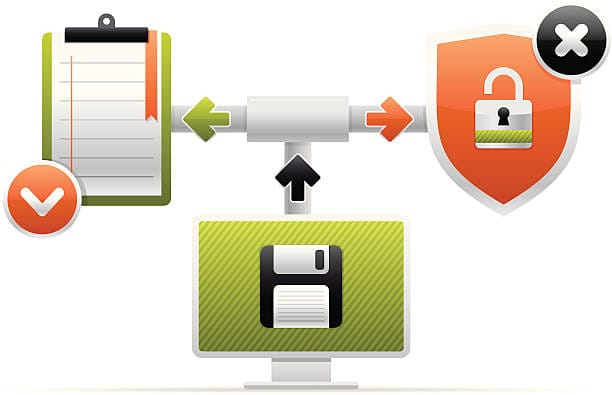
Losing important files — whether to hardware failure, ransomware, or simple accidental deletion — can be a genuinely stressful experience, especially when the data can’t be replaced. A solid backup strategy turns that kind of loss from a disaster into a minor inconvenience.
Secure data backup isn’t just about saving copies of files — it’s about protecting them properly in an environment where data breaches and cyberattacks are common. This guide covers the fundamentals of backing up data securely: the core principles, the main backup methods and their trade-offs, and the best practices worth building into a routine.
The Importance of Securing Data Backups

A data backup is simply a copy of files kept separately so they can be recovered if something goes wrong — a hardware failure, a cyberattack, or something as mundane as a spilled drink on a laptop. The important shift in recent years is that backing up alone is no longer enough. With data breaches now a regular occurrence, securing those backups properly matters just as much as making them in the first place.
The most widely recommended principle for backup strategy is the 3-2-1 rule: keep three copies of important data, on two different types of media, with at least one copy stored off-site. It’s a simple guideline, but a genuinely effective one — a typical setup might mean a working copy on a computer, a second copy on an external drive, and a third copy in a cloud service, so that a single point of failure, like a damaged laptop, doesn’t mean total data loss.
Unsecured backups carry their own risk, though. Unencrypted backup files are an attractive target for attackers, since they often contain concentrated, easily accessible personal information. Encryption — such as AES-256, a widely used and strong encryption standard — makes stolen backup data effectively useless without the corresponding key. Encryption isn’t foolproof by itself, though: weak or forgotten passwords remain a common way backups end up compromised or permanently inaccessible, which makes good password management just as important as the encryption itself.
Privacy is a real ethical consideration here too, particularly when backing up sensitive data such as health or financial records. Regulations like GDPR in Europe and HIPAA in the US exist specifically to protect that kind of data, and getting proper consent before backing up shared or third-party data is worth treating as a baseline requirement rather than an afterthought.
Backup Methods: Pros, Cons, and Best Practices

There are several reliable ways to back up data securely, and the right choice depends on the situation — a home user backing up family photos has different needs than a business protecting critical operational data.
External Hard Drives and USB Drives
External drives are a simple, accessible starting point. They’re inexpensive, easy to use, and keep data fully under the owner’s control — connect the drive and use a built-in tool, such as Windows Backup or Time Machine on Mac, to get started.
They handle large files quickly and can be encrypted using built-in tools like BitLocker on Windows or FileVault on Mac. Since they’re not connected to the internet, they’re also immune to online-only attack methods. The trade-off is physical risk: drives can be lost, damaged, or stolen. Encrypting the drive and storing it somewhere secure, such as a fireproof safe, significantly reduces the impact if it’s ever lost or stolen.
External drives suit users who prefer not to rely on the internet for their backups, but they’re less convenient for backing up multiple devices frequently. Many users combine external drives with another method precisely because of this trade-off, using the drive as one part of a broader backup strategy rather than the only one.
Cloud Backup Services
Cloud storage services, such as Google Drive, Dropbox, and iCloud, have become extremely popular for good reason: they back up automatically and make files accessible from virtually anywhere.
The main appeal is that once configured, cloud backups run automatically in the background with minimal ongoing effort. Most services include built-in encryption and support two-factor authentication, and some, like OneDrive, offer an extra-secure “vault” option for particularly sensitive files. The trade-offs are real, though: reliance on an internet connection means outages can disrupt access, and even large, well-resourced providers have experienced serious security incidents in the past — a reminder that no service is entirely immune to risk. Storage costs can also add up quickly for large amounts of data.
There’s an ethical dimension worth considering too — data sovereignty, or who effectively controls data once it’s uploaded to a third-party service. Reading a provider’s privacy policy before committing to it is worth the time. Cloud backup is a convenient, scalable option for most users, but for especially sensitive categories of data, such as healthcare records, a hybrid approach — combining cloud storage with some data kept in-house — is often the more defensible choice.
NAS and Server-Based Backups
Network-Attached Storage (NAS) devices are worth considering for businesses or anyone managing a large volume of data. They function as a personal or organizational cloud server installed on-site, with providers like Synology and QNAP offering built-in security features, including RAID configurations that add redundancy against individual drive failure.
The main advantages are centralized, always-available storage with automatic synchronization across systems, plus the flexibility to scale storage capacity by adding more drives over time. Organizations handling sensitive client data often pair NAS systems with encryption and regular audits to meet compliance requirements.
NAS setups are more technical to configure and more expensive than a simple external drive, and they remain vulnerable to local disasters like flooding or extended power outages — which is why pairing a NAS with an off-site backup is a reasonable precaution rather than optional. An uninterruptible power supply (UPS) is also worth the investment, since unexpected power loss is one of the more common causes of NAS data corruption.
Best Practices for Secure Backups
A few consistent habits make the difference between a backup strategy that actually works when needed and one that fails silently. Encrypting backups is non-negotiable — whether through a personal encryption tool like VeraCrypt or a business-grade solution. Testing restores periodically matters just as much as making backups in the first place, since a backup that can’t actually be restored isn’t a backup at all — a monthly test restore is a reasonable habit to build.
Diversifying backup methods, following the 3-2-1 rule described earlier, protects against the failure of any single method — relying entirely on one backup method, such as a single cloud provider, creates a single point of failure that a more diversified approach avoids.
A few pitfalls are worth watching for. Outdated backup software can carry unpatched vulnerabilities, so keeping backup tools updated matters as much as updating any other software. It’s also possible to over-engineer a backup strategy — backing up everything indiscriminately consumes unnecessary storage and resources, so prioritizing genuinely critical files, such as documents and financial records, tends to be more sustainable than backing up an entire system indiscriminately.
There’s an environmental angle worth a brief mention too — cloud storage at scale has a real energy footprint, so favoring efficient storage practices and avoiding unnecessary duplication is a reasonable habit. And on the ownership side, backing up data that doesn’t belong to you without permission remains a clear ethical line not to cross.
Conclusion
Learning how to back up data securely isn’t a matter of specialized technical skill — it’s mostly a matter of consistency and a few good habits. Whether the approach is external drives for simplicity, cloud storage for convenience, or NAS for more centralized control, encrypting backups, diversifying storage, and testing restores regularly go a long way toward reducing risk. No approach eliminates risk entirely in a constantly evolving threat landscape, but starting — even with something simple — is far better than putting it off.
FAQs
Q1: What’s the 3-2-1 backup rule?
A: Keep three copies of important data, stored on two different types of media, with at least one copy kept off-site — this protects against most single points of failure.
Q2: Is cloud backup secure?
A: It can be, when encryption and two-factor authentication are enabled. It isn’t foolproof on its own, so pairing it with another backup method is a reasonable precaution.
Q3: How often should data be backed up?
A: Daily for critical business data is a reasonable standard; weekly is often sufficient for personal files, depending on how frequently the data changes.
Q4: What happens if an encryption password is forgotten?
A: In most cases, the backup becomes permanently inaccessible. Using a password manager, and never storing the password alongside the encrypted backup itself, helps avoid this.
Q5: Can free cloud storage be used for backups?
A: Yes, though paid tiers often include stronger encryption and other security features. Weigh the option against how sensitive the data actually is.
Q6: How can I confirm a backup actually worked?
A: Periodically restore a few files from the backup to confirm they’re intact and accessible — this is the only reliable way to know a backup will work when it’s actually needed.
Q7: How much does secure data backup typically cost?
A: External drives typically start around $50 as a one-time cost, while cloud services generally run $10–$50 per month depending on storage needs — modest compared to the cost of losing important data.
Related Reading
- How to Protect Your Computer from Hacking
- How to Recover Deleted Files
- How to Remove a Virus from Your Computer