

How to Remove a Virus from Your Computer, I have been playing with computers more than 15 years now and it was when dial-up internet was a luxury and most viruses were a nuisance that was transmitted via floppy disk. As a freelance tech writer and consultant, I have personally experienced that malware has evolved to a very advanced level these days, e.g., ransomware attacks that lock you out of your files or viruses that turn your browser into a nightmare of pop-ups. Deleting a virus is not all about a button-press, but it is a combination of warning signs, software and perhaps a little elbow grease.
In this paper, I will take you through a step-by-step process, which I have done based on my experience of assisting friends, clients and even myself as a person to overcome digital infections. We will discuss all the signs to watch out as well as the methods of taking them out safely, and we will make it all balanced and realistic. You have to remember though that as much as I can help you out of this I am not a professional that can assist you in case the situation becomes really messy.
The Kickstarter: What a Computer Virus Is.

Before we actually submerge ourselves in the how-to, we ought to get straight on what we are dealing with. A computer virus is simply an evil computer program that aims at duplicating itself and creating havoc in your system. It is a biological virus because it is transmitted between hosts usually via email attachments, infected websites or suspicious downloads. A virus is not the only kind of malware, however, such terms as worms, Trojans, and ransomware are also included in the larger category of malware, but all are aimed at interfering with your online existence.
As it happened with me, viruses might be annoying (such as the one flooding your desktop with advertising) or even destructive (deleting files or personal information). I had an example of a client, who had a home office computer which had been infected by a type of the Emotet virus a few years ago. It began as slow response and random crushes but soon it turned to encrypted files that required a ransom. That episode made me understand that crime should be prevented as much as cured but we will see that later.
Viruses are widespread in the contemporary world due to the emergence of remote work and online shopping. Reports that have been released recently by cybersecurity companies such as Kaspersky indicate that the malware sample count has continued increasing exponentially with ransomware attacks alone costing enterprises billions of dollars. It is not merely techie jargon, but it is hard-earned cash and real-life frustration to the average user.
The Signs of Thinking: Have You Got a Virus on Your Computer?
You would not overlook a fever when you were feeling a bit out of humour, would you? The same is so with your computer. Removal can be a lot easier in case of early detection. According to my troubleshooting cases, the following are some of the typical red flags:
Performance Problems: Something has happened to your formerly fast laptop; it has developed a snail-like slowness. Programs require ages to boot-up, or your internet browser crashes when you are doing a basic search.
Pop-Ups out of the blue: When the ads of a dubious product continue to appear without being triggered by any action, particularly on reputable sites, then that is a typical indicator. I recall assisting a colleague who was receiving spam messages about antivirus threats on her computer- it happened that it was the virus which was attempting to mislead her.
Abnormal Behavior: Files being deleted, new programs appearing on your computer that you have not downloaded or even your home page being changed without your consent. I once received a spam message in an email account of one of my friends; it was a worm that was attacking their address books.
Security Alerts: Your anti-virus may begin screaming at you about threats or you may find system file error messages.
Naturally, not all glitches are a virus, hardware issues or software conflicts may replicate the symptoms. That is why it is a good idea to cross-check with trusted sources, such as the official websites of antivirus vendors or the internet forums such as r/techsupport of Reddit. I have come to know how to be optimistic and skeptical, sometimes all you need to do is restart everything and there are times that the problems will not disappear, so it is time to get into action.
The Case of Prevention over Cure.
Appearances to the contrary, I would be negligent not to point out that it is reactive to eliminate a virus, but proactive to prevent one and much less stressful. I used to save important project files in a virus when I was young because I saved on essentials. Don’t make that mistake.
Begin with powerful antivirus programs. Software such as Norton, Bitdefender or free versions of Malwarebytes have come to my rescue on numerous occasions. Always use the latest update to your operating system, be it windows 11, macOS Ventura, and Linux distributions such as Ubuntu. Microsoft and Apple release patches severally in order to cover security holes that are exploited by viruses.
Other items on my playbook list: Make sure you have a firewall, two-factor authentication on your account is turned on, and to be cautious of any attachments or downloads to your email that are not sent by a person you know. As an illustration, in the early phases of the COVID-19 pandemic, phishing emails in the format of a health alert were the order of the day. A team of small business owners I advised not to proceed with clicking until they had verified the senders and it saved them much in terms of headaches.
The downside? There is no foolproof way of prevention. Although the security is on the highest level possible, the human factor may slip with tricks such as falling into a well-designed phishing link. On the ethical scale, I always suggest to use a legitimate software and not cracks or pirated tools that state to be free since they may be filled with malware. Not only do you save your information, but also, you do not have viruses spread to others inadvertently.
Let’s Figure It out: The Process of De-virusifying your computer.
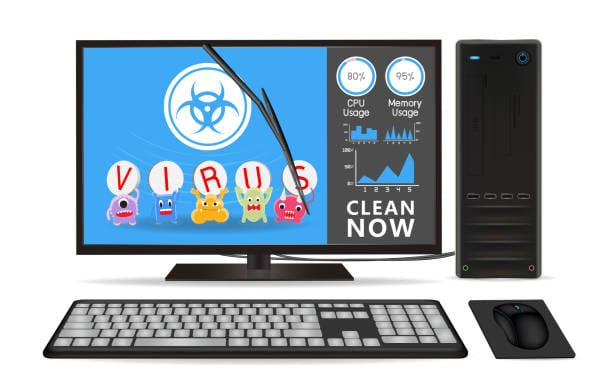
Okay, we should now get down to it. Getting rid of a virus is not a universal situation, but these measures, developed through my practical experience, should suit the majority of situations. I will separate it into a practical explanation, tips about various operating systems used, and pitfalls.
Step 1: The first step includes isolating and measuring the damage.
The first step to take is to cut off the internet connection to avoid the virus spreading or calling home to those who have created it. Warn others in case you are on a network. Quickly run an antivirus scan using the antivirus that is installed. Windows users have the Windows Defender which is a good starting point, it has progressed greatly in the latest updates.
In my experience, when you have a serious infection boot in to Safe Mode. You need to press the Shift key when restarting on Windows and when restoring on Macs, press the Shift key and keep pressing until you can see the login screen. This only loads necessary drivers and therefore it is easy to identify and delete intruders.
Step 2: apply Trustworthy antivirus and anti-M Malware software.
This is where the pros shine. Install a antivirus software that is legitimate and run a complete scan. I frequently use Malwarebytes as it has a convenient interface and can be used to fight adware and Trojans. In another instance I was able to use it to clean a laptop that had browser hijackers on it it was done within 30 minutes and I was able to reclaim the machine without trouble.
In case your antivirus is not safe (which is the case), offline scanners such as the ESET Online Scanner or the rescue disk by Kaspersky are welcome. These bootable tools are able to identify threats that are not identified with normal software. It is worth remembering that you should always download it in the official sites to prevent further infections.
To the Mac consumers, you should not be on the wrong side of thinking—Apple can also be struck, but it is not common. Mac programs such as CleanMyMac or the inbuilt XProtect are useful, although I have heard of instances where certain problems could be solved by simply resetting the NVRAM.
Step 3: Tricky Cases Removal Manually.
In some cases, automated tools are not sufficient particularly with tenacious rootkits. Here is where experience is needed and be careful, though, you can brick your system by doing it manually.
The first thing to do is to scan your Task Manager (ctrl+shift+esc on windows) to see the suspicious processes. Where there seems something fishy in a process, such as high CPU consumption that you do not understand the purpose, look it up online. I once used to delete a virus by deleting rogue executable in the start up folder- delete unknowns in Task Manager Start up tab.
The other advanced step is to edit the registry, however, it is dangerous. Do it only when you are sure, otherwise be sure that you saved your data first. Such utilities as CCleaner can be useful at cleaning temporary files, but it is not a magic solution.
Step 4: Restore and Recover
Once removed, restart your system using a backup in case it is possible. I cannot emphasize enough on this: Incorrectly scheduled backups to an external drive or online storage services such as Google drive have rescued me more than once. In case you do not have one, roll back to a pre-infection state with System Restore on Windows or Time machine on Mac.
Lastly, upgrade all your software and have one more scan to be sure everything is clean. During my consulting practice, I have discovered that after removal, it is important to reinforce the defenses such as the use of windows sandbox to test downloads.
In the process, one should be aware of constraints. Not all viruses can be eliminated without any loss of data, and some of them may need the assistance of a professional, such as Geek Squad or an IT professional. Ethically speaking, do not share infected files or use common computers before you are certain that you are clean because it will spread the issue.
Life Story Lessons: A Rush Case.
To provide an example, I would like to tell you a story. One of the remote employees that I assisted last year had a slow computer with pop-ups. Easy to guess, it was a combination of adware and a Trojan of a downloadable pirated software. We quarantined the machine and ran Malwarebytes and removed the files by hand. This took approximately an hour and she was back on her feet. Nevertheless, it cost her a day of work and a safe downloading lesson. It all points to the fact that viruses can interfere with everyday routines, and that is why the moderating method that involves the use of tools in addition to intelligent habits is crucial.
Concluding The Digital Age: Be Wary in the Digital Age.
With the correct procedures, it is possible to uninstall a virus on your computer, although it is not always easy. Since my days in the trenches, I have come to understand that technology changes, and threats do as well, so I need to keep up with the latest news provided by such websites as CNET or Wired. Keep in mind that even though this guide is grounded on my experience, it is grounded in general tips; a case-specific solution may be required. Never neglect the security of your data and always look at the ethical aspect such as the privacy laws when dealing with personal information.
Finally, the ultimate defense is offense. Be on your guard and you will not spend as much time eliminating viruses as you can spend using your tech.
Frequently Asked Questions
Q1: What is the time to take in eliminating a virus?
A: It depends, and with a basic removal it may take 15-30 minutes, whilst a complex case may require hours or the services of a professional.
Q2: Is it possible to delete the virus without antivirus programs?
A: Yes, but it’s riskier. Paper and pencil is good in some cases but not to be used by amateurs.
Question 3: Can I be sure of my data following the eradication of a virus?
A: Not necessarily, not all viruses delete information, and thus watch out in the future when something is breached and use a strong password.
Q4: What will happen when the virus continues to reoccur?
A: This could be re infection due to something outside such as a drive. Removing all the files and a complete system wipe is an option of last resort.
Q5: Is it appropriate to ransomware ransom?
A: No, professional should not do it, and there is no chance of file recovery and it finances criminals. Interaction authorities instead.
Q6: How will I be able to safeguard my computer in future viruses?
A: Update antivirus, do not use sketchy links, and make sure your OS and software are up-to-date, it is the most effective in the long term.
Q7: Do Mac or Linux have fewer chances of being infected by viruses?
A: Yes, generally, because they are secure features of them, but not totally. It is always good to be safe about browsing irrespective of your OS.